This page contains affiliate links. As an Amazon Associate we earn from qualifying purchases — at no extra cost to you.
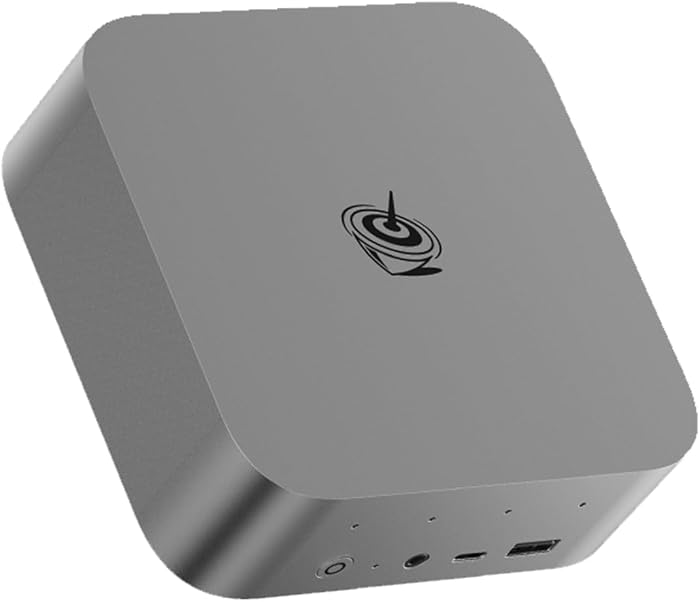
Beelink SER9 MAX: A Home Lab That Fits in One Hand
A near-silent mini PC with 64GB of DDR5 and 10G LAN that runs a whole Proxmox stack from a shelf corner.
Affiliate link — we may earn a commission at no cost to you.
I bought the SER9 MAX for one job: to be the Proxmox box that hosts my personal projects. It has been, frankly, amazing at it — and the two things that make it work as a home-lab host are the two things spec sheets undersell: the size and the noise.
Start with the size. This is a genuinely small-form-factor machine — it fits just about anywhere, and mine lives where a full tower never could. There's no rack, no dedicated corner, no cable sprawl; it disappears onto a shelf and gets on with running VMs. And it's *super* quiet. A hypervisor runs 24/7, so fan noise isn't an annoyance you visit — it's a roommate. This one is quiet enough that you stop being able to point to where it is in the room.
The spec sheet is what makes that form factor useful rather than cute. The Ryzen 7 H 255 has the headroom to juggle several VMs and a stack of containers, and 64GB of DDR5 is the real headline for a Proxmox host — memory, not CPU, is what you run out of first when every service wants its own slice. The 1TB NVMe keeps VM disks snappy, and the 10G LAN port means the network is never the bottleneck when you're moving disk images or backups around the house. WiFi 6 and Bluetooth are there, though a hypervisor host will live on that wired port. If you ever repurpose it as a desk machine, the Radeon 780M and USB4/HDMI 2.1/DP 2.1 trio will happily drive three displays.
The basics
- CPU
- AMD Ryzen 7 H 255
- Memory
- 64GB DDR5
- Storage
- 1TB NVMe M.2 SSD
- Networking
- 10G LAN, WiFi 6, Bluetooth 5.2
- Graphics
- AMD Radeon 780M (12 CUs, 2600 MHz)
- Ports
- USB4, HDMI 2.1, DisplayPort 2.1 — triple-display capable
- Form factor
- Palm-sized mini PC
Why we love it
What we like
- ✓Small enough to fit just about anywhere — a full home lab that vanishes onto a shelf instead of demanding a rack or a corner of the office.
- ✓Super quiet under 24/7 load, which is the spec that actually matters for a machine that never turns off.
- ✓64GB of DDR5 is the right headline for a Proxmox host — RAM is what you run out of first, and this doesn't.
- ✓10G LAN means VM migrations, backups, and NAS traffic never queue behind a gigabit port.
- ✓Enough CPU and NVMe speed to run several VMs and a pile of containers without any of them feeling it.
Good to know
- •It's a fixed platform — when you outgrow it you add a second node rather than dropping in a new CPU, though at this size that's how home labs tend to grow anyway.
- •To use the 10G port at full speed you'll need a switch that can keep up — most home gear is still 1G/2.5G.
- •Integrated graphics only: great for a lab box or an office desktop, but it's not a discrete-GPU gaming rig.
Our Verdict
The box my personal projects live on: small enough to fit anywhere, quiet enough to forget, and specced exactly where a Proxmox home lab needs it — memory and network.
Editorial score from our reviewer — not a customer or aggregate rating.
Frequently asked questions
- Can the Beelink SER9 MAX run Proxmox?
- Yes — that's exactly how we use it. With the Ryzen 7 H 255, 64GB of DDR5, and a 1TB NVMe drive it comfortably hosts multiple VMs and containers for self-hosted projects.
- How loud is it?
- Very quiet — quiet enough to run 24/7 in a living space without you noticing it, which is what you want from an always-on home-lab host.
- What networking does it have?
- A 10G wired LAN port plus WiFi 6 and Bluetooth 5.2. For a hypervisor host the 10G port is the star — it keeps backups and VM traffic fast.
- Can it drive multiple monitors?
- Yes — USB4, HDMI 2.1, and DisplayPort 2.1 together support triple displays via the integrated Radeon 780M.
Affiliate link — we may earn a commission at no cost to you.
Reviewer
Tyler Harker
Tyler is a software engineer who spends his workdays in code, his evenings in competitive shooters, and his weekends tinkering with the home lab or logging treadmill miles. He reviews gaming gear, PC hardware, and fitness equipment the way he benchmarks software — by what actually performs under pressure.